DragonDOS
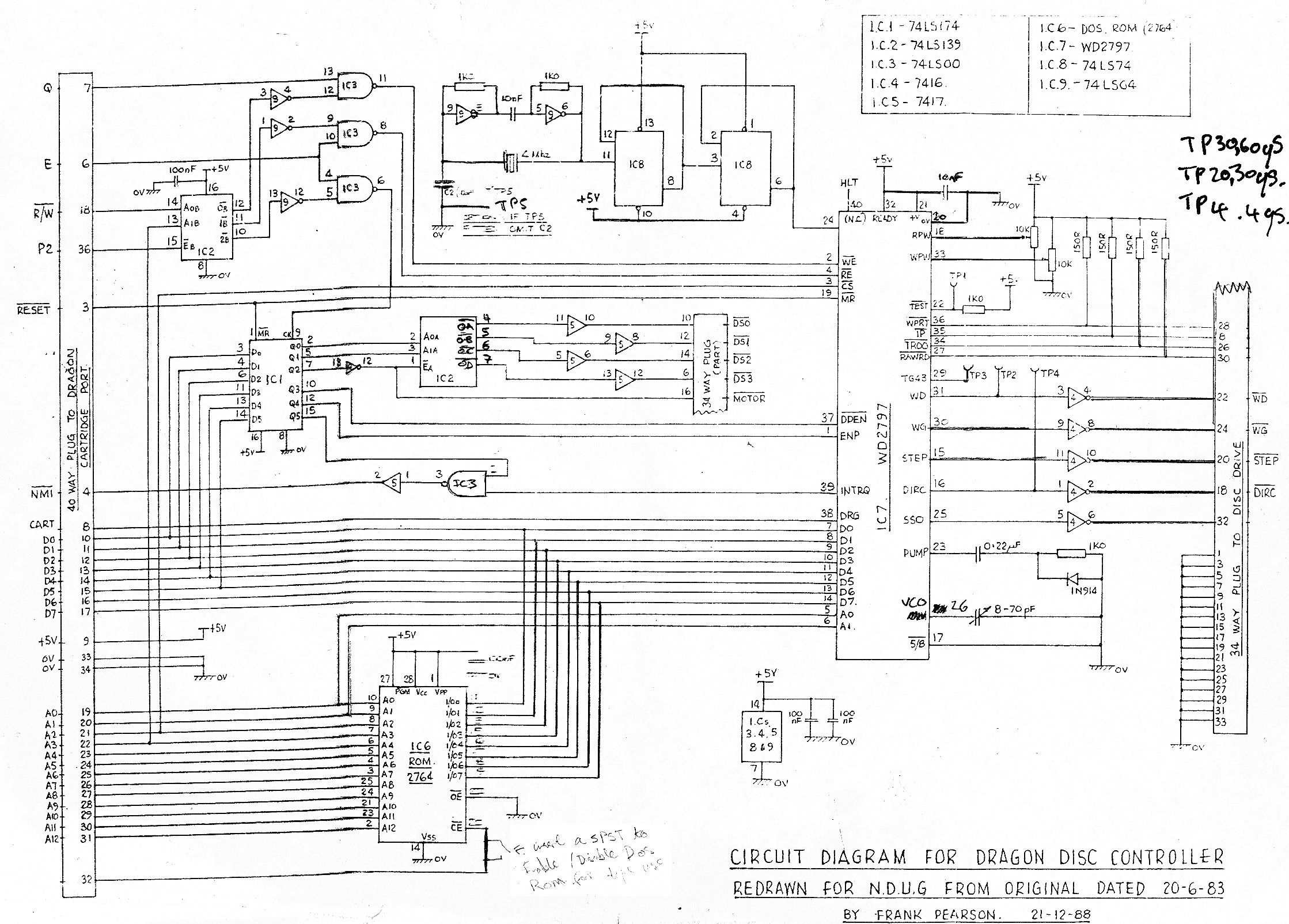
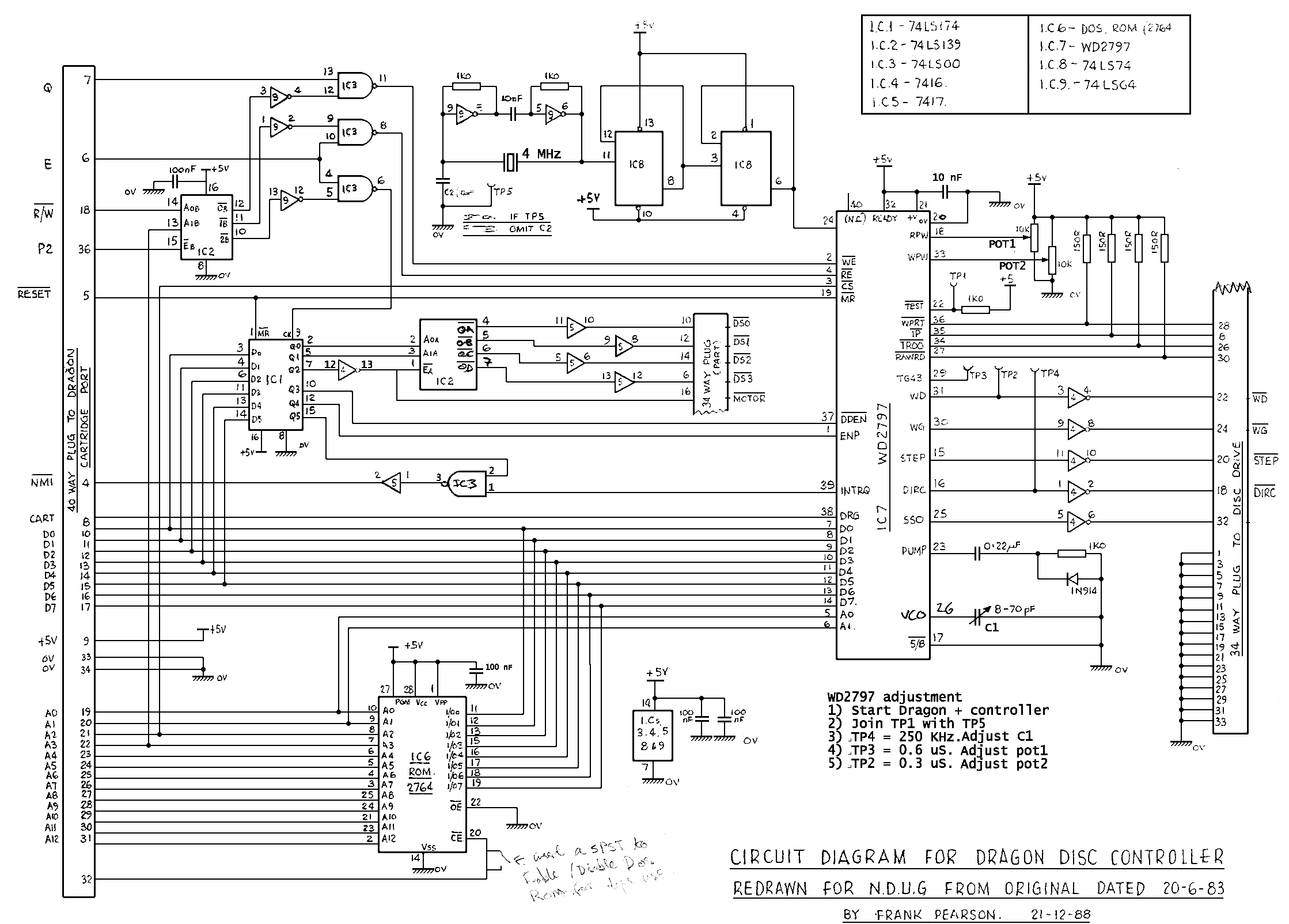
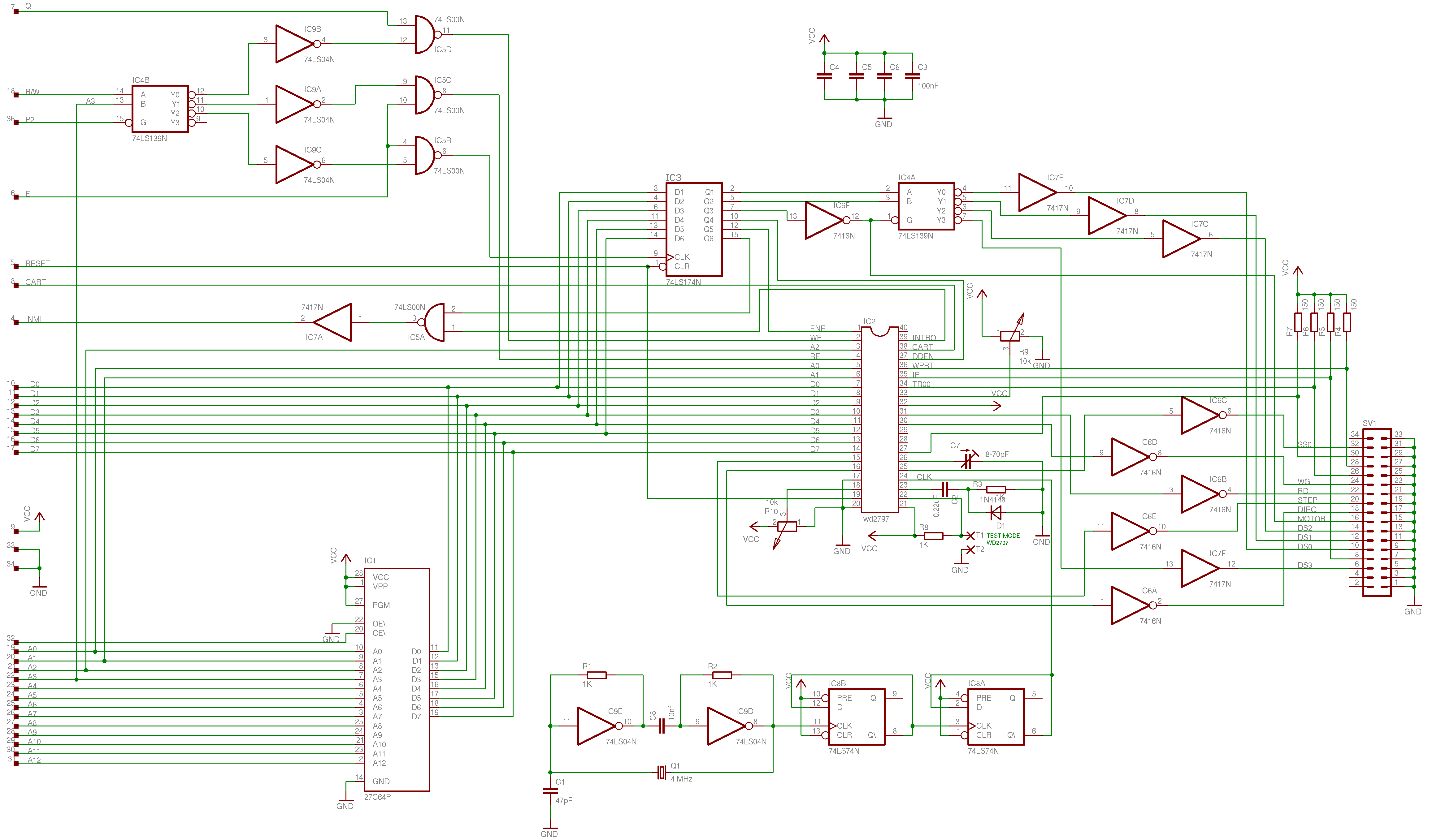
Cartridge/Controller Schematics
To ensure correct
operation of the disk drives, the WD2797 in the DragonDOS controller
needs to be correctly calibrated. There are a number of different
suggested values, for example Western Digital suggests 450ns for TG43
(TP3), NDUG** 600ns and data sheets from 2797 clones 500ns. I recommend
you try the suggested settings below and if still experiencing
difficulties try the NDUG values. To perform the calibration you will
need an oscilloscope.
Instructions:
-
Remove the top from the disk controller
-
Plug into the Dragon as normal and turn the Dragon on
-
Connect TP1 (TEST) to TP5 (GND)
-
Scope TP4 (DIRC)
-
Adjust C1 to 250Khz
-
Scope TP3 (TG43)
-
Adjust POT1 so that the pulse width is 500ns (600ns NDUG)
-
Scope TP2 (WD)
-
Adjust POT2 so that the pulse width is 250ns (300ns NDUG)
** National Dragon User
Group
Many thanks to Phill Harvey-Smith
for making the original scan. |
WARNING
All the above scans
are provided as 'AS IS' and are for information only. Please
note that the original scans/pictures are of poor quality
and are difficult to read. If you kill your Dragon or blow
yourself up don't come running to me.
By downloading/viewing
the above schematics (circuit diagrams) you agree to the above.
|
|